12. Verify Contrail plugin
To verify your installation after deployment, perform the basic checks described below.
Verify that Contrail services are running.
Login to the Contrail controller node and run
contrail-statuscommand. All services should be in “active” state:# contrail-status == Contrail Control == supervisor-control: active contrail-control active contrail-control-nodemgr active contrail-dns active contrail-named active == Contrail Analytics == supervisor-analytics: active contrail-analytics-api active contrail-analytics-nodemgr active contrail-collector active contrail-query-engine active contrail-snmp-collector active contrail-topology active == Contrail Config == supervisor-config: active contrail-api:0 active contrail-config-nodemgr active contrail-device-manager active contrail-discovery:0 active contrail-schema active contrail-svc-monitor active ifmap active == Contrail Web UI == supervisor-webui: active contrail-webui active contrail-webui-middleware active == Contrail Database == supervisor-database: active contrail-database active contrail-database-nodemgr active kafka active
Verify the list of peers and peering status
- Login to Contrail web UI
- Go to Monitor -> Control nodes
- Choose any and select a Peers tab.
You should see your compute nodes (vRouters) and external router
in a list of peers with status
Established
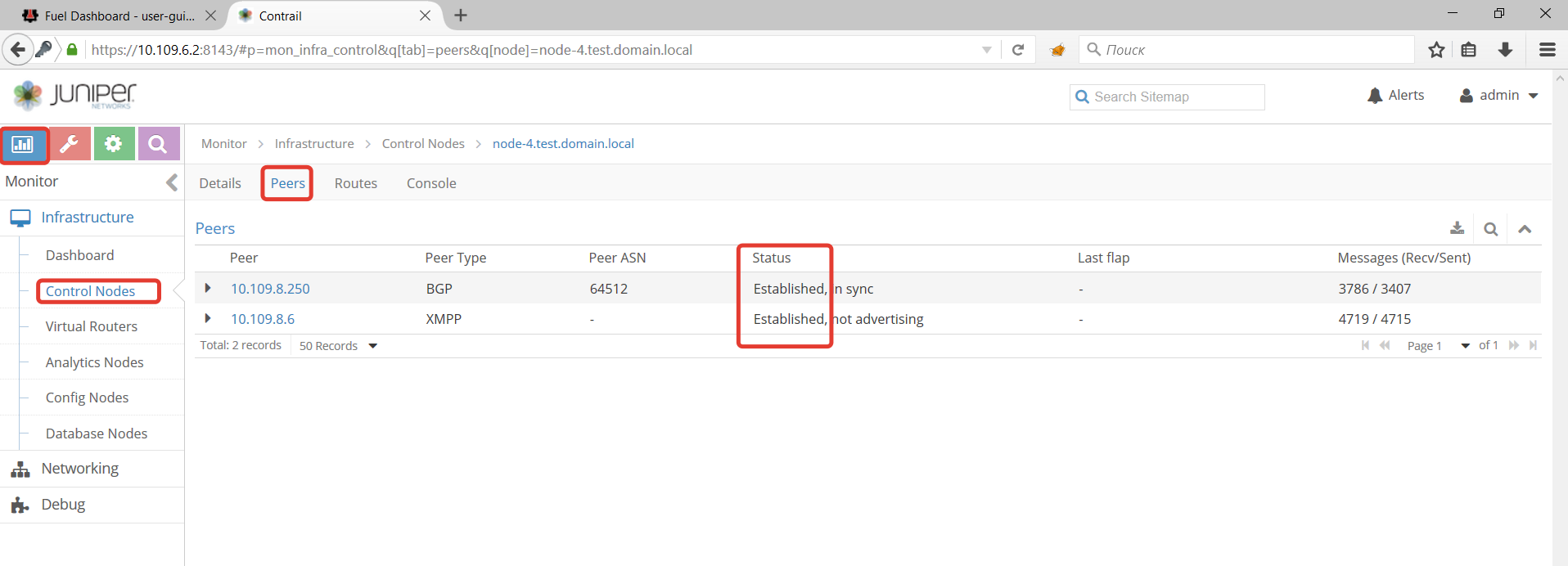
Verify that external router has been provisioned correctly:
- Login to Contrail web UI
- Go to Configure -> Infrastructure -> BGP routers.
- Verify the IP address of the router
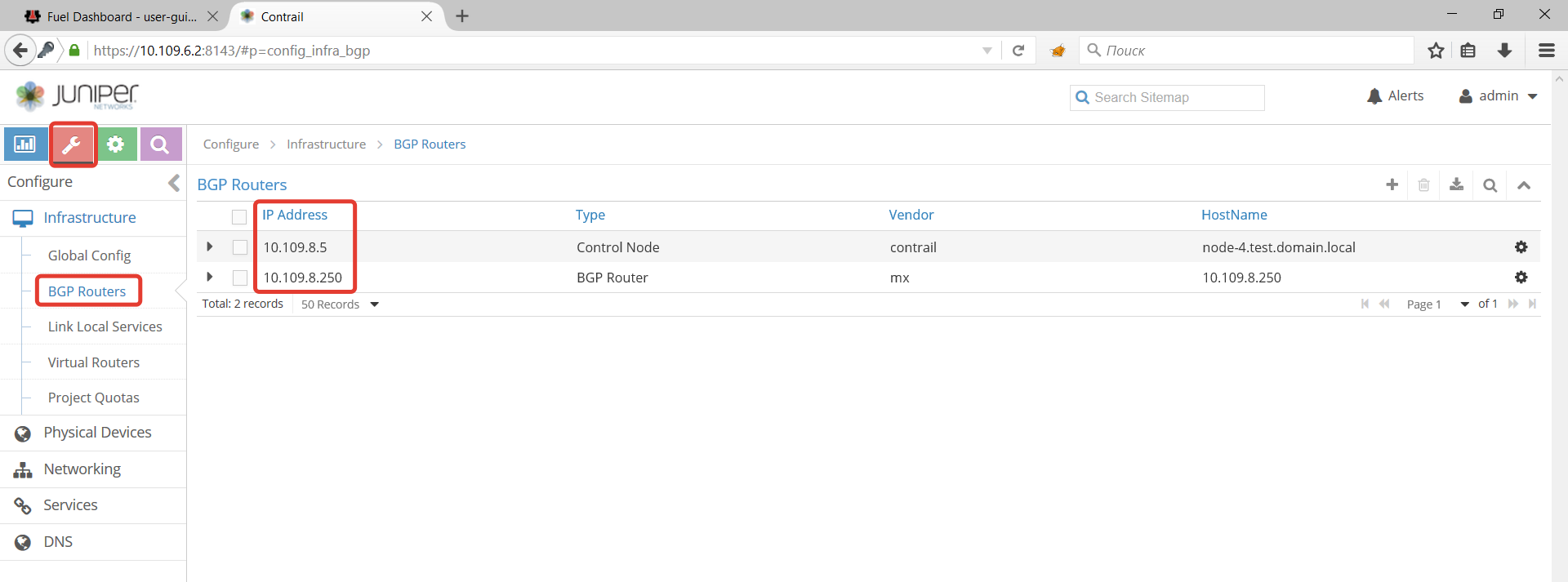
- Use health checks in Fuel web UI, also called OSTF tests.
12.1. Run OSTF tests
12.1.1. Prerequisites for OSTF
- OSTF tests require two pre-defined networks created -
admin_internal_netandadmin_external_net. The networks are created by Fuel during deployment. This section includes instructions how to create them if they were accidentally deleted. Floating IP addresses from net04_ext should be accessible from Fuel master node.- Three tests from
Functional testsset require floating IP addresses. They should be configured on external router, routable from Fuel master node and populated in the Openstack with Contrail environment.- HA tests require at least three Openstack controllers.
Platform services functional tests.require Ceilometer and MongoDB.
12.1.2. Configure OSTF networks and floating IPs
To configure OSTF networks and floating IPs:
Go to Contrail web UI Configure -> Networking -> Networks
Create network
admin_internal_net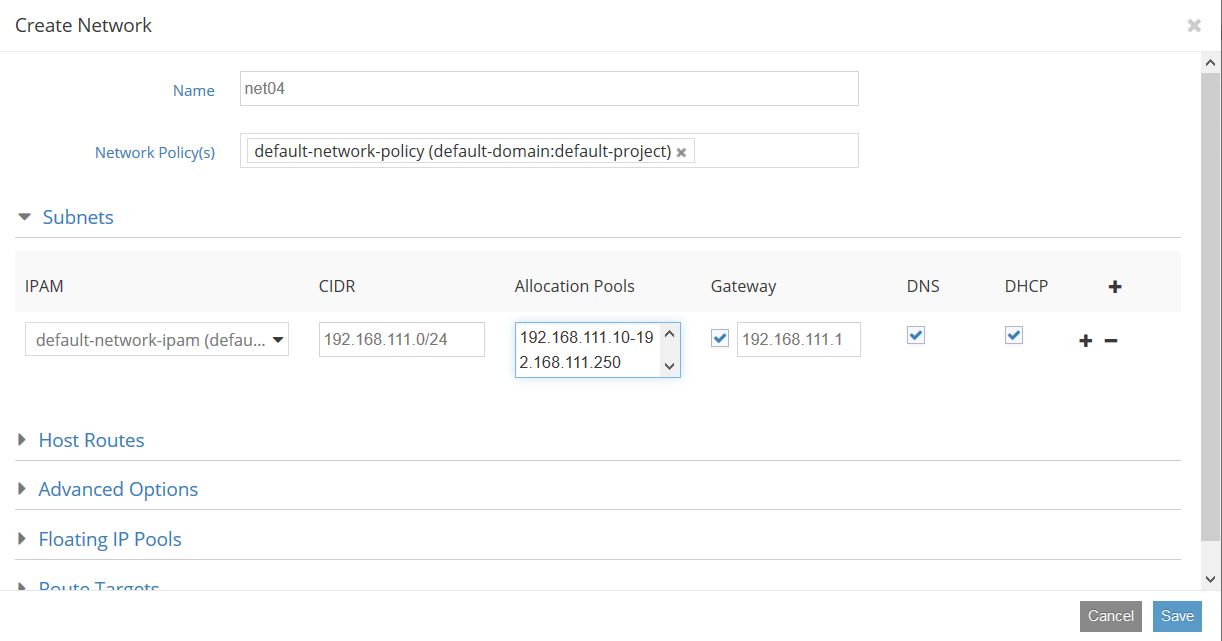
Create network
admin_external_net.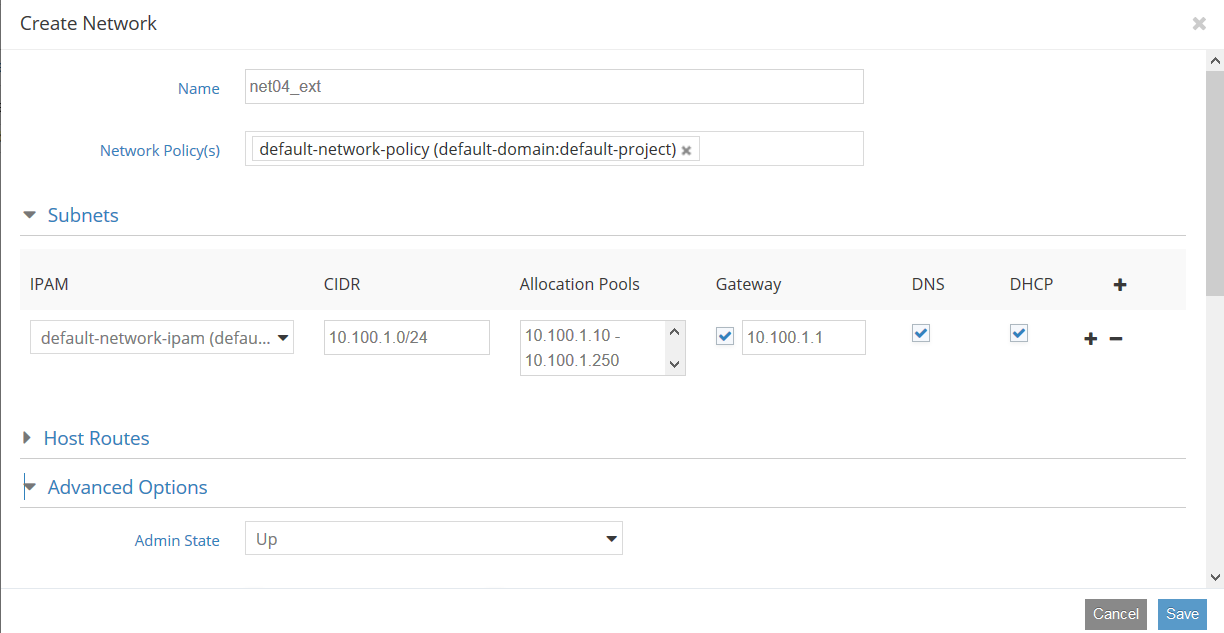
It should be marked as
sharedandexternal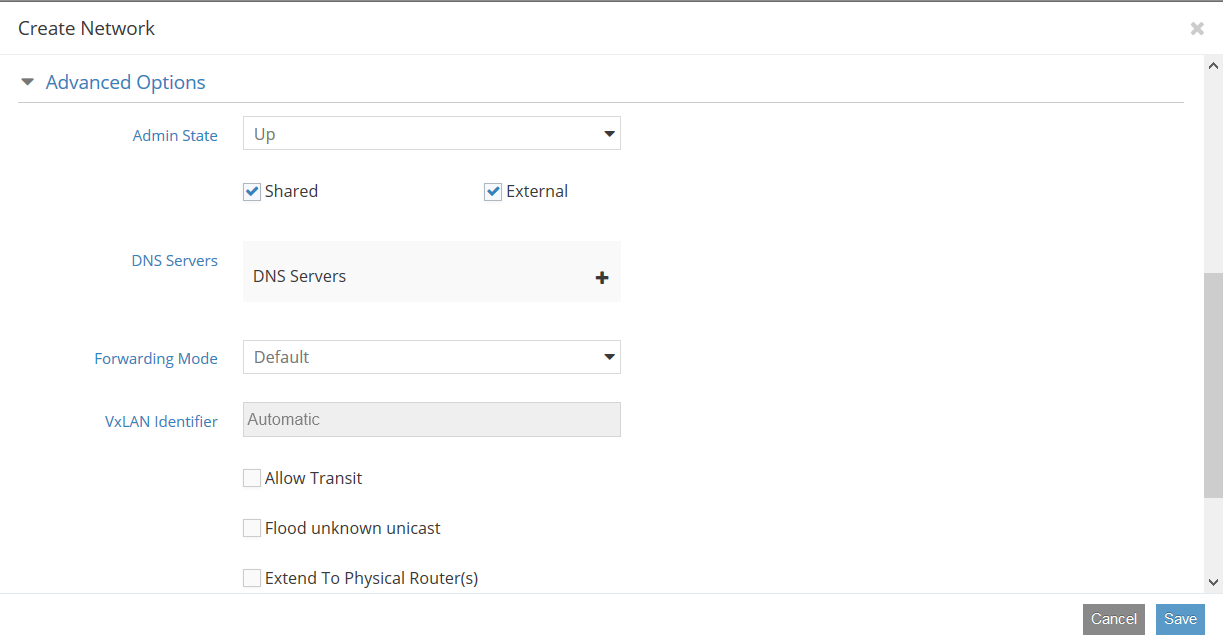
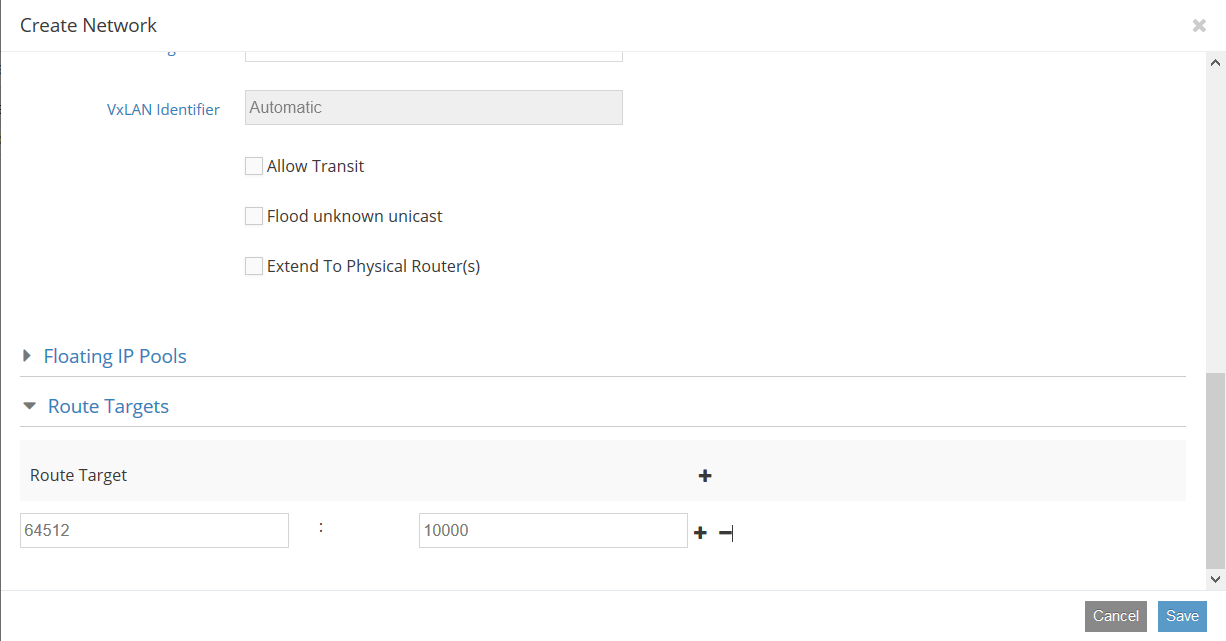
And have same route target as configured in an external router
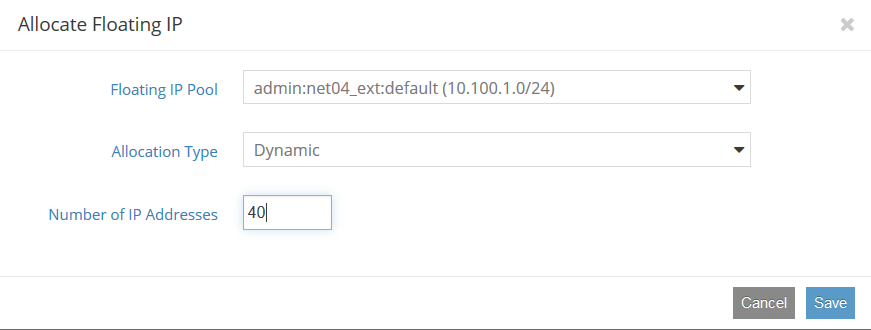
Allocate floating IP addresses from
admin_external_netGo to Contrail WebUI Configure -> Networking -> Manage Floating IPs
Start OSTF tests.
See also
Warning
`OSTF test ‘Check network connectivity from SRIOV instance via floating IP’ is expected to fail in environments with Contrail. Contrail doesn’t support assigning floating addresses to SRIOV ports, they are treated as pci passthrough devices.
12.2. Troubleshooting
To troubleshoot:
- Verify output of the
contrail-statuscommand. - Verify the logs for corresponding serivice:
- Contrail logs are located in
/var/log/contrail/directory, and log names match with contrail service name. - Cassandra logs are located in
/var/log/cassandra/ - Zookeeper logs are in
/var/log/zookeeper/
- Contrail logs are located in