10. Contrail with VMware vCenter
10.1. Overview
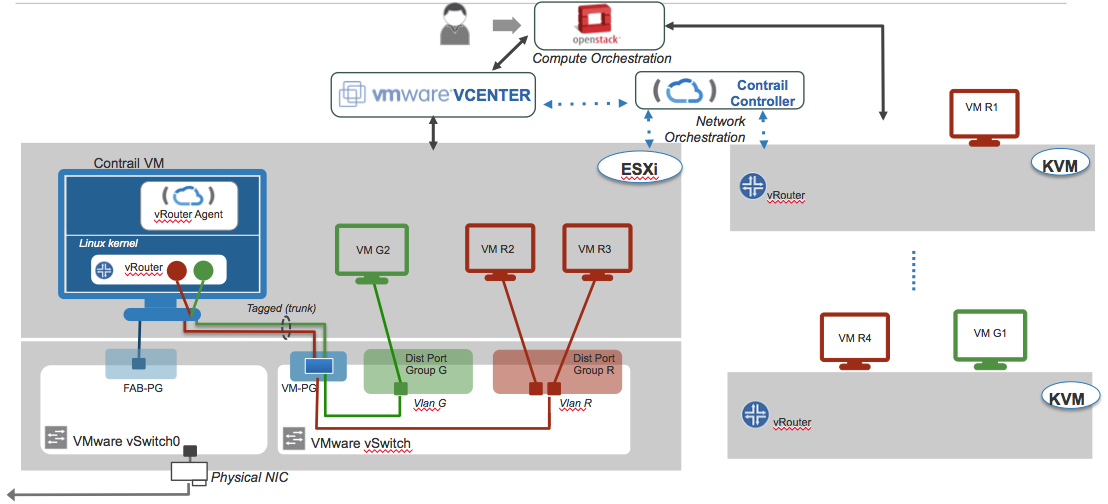
Starting from Contrail Release 3.0.0, it is possible to integrate Contrail with the VMware vCenter acting as an Openstack compute node.
This topic describes how configure Fuel Contrail Plugin to work with existing or already provisioned vSphere deployments that use OpenStack as the main orchestrator.
Integration with vCenter include two main roles: compute-vmware and contrail-vmware. As the basis for compute-vmware role will use default Fuel compute-vmware role. Compute-vmware will be located on the openstack side of hybrid environment and will include nova-compute with Contrail Nova vCenter driver. One compute-vmware will serve one vCenter. In the current release work with multiple vCenter instances is not supported. Compute-vmware role will be not compatible with any other role. Contrail-vmware will be located on vmware side of hybrid environment and will include Contrail vRouter. One contrail-vmware must to be installed on each ESXi node. Contrail-vmware role will not be compatible with any other role. Integration assumes that vmware part of the environment already exists - datacenter and clusters are created. Deployment of the environment will include 2 stages. During the 1st stage user will run script that prepares vmware part for deployment (creates few Distributed Switches and spawns virtual machine on each ESXi node). The rest of management will provided by the Fuel master
10.2. Prerequisites
- Installed Fuel 9.1
- Installed Fuel Contrail Plugin Installation Guide
- Environment must be created with “vCenter” support for compute virtualization and Contrail for networking
- vSphere environments must be already preconfigured
- pyvmomi python package need to be installed for vmware provision script
10.3. Restrictions
- There must be a single vmware-compute node for each vCenter
- Compute-vmware role can not be combined with any other roles
- Contrail-vmware role can not be combined with any other roles
- The environment must contain at least one KVM/QEMU compute node
- According contrail package (version: 3.1.0.0-25) bug we can use only one cluster per Datacenter.
- All ESXi hosts in vCenter cluster must have instance with contrail-vmware role
10.4. Configuration
To install environment with Contrail and VMWware support you should proceed with following steps:
Install pyvmomi module
[root@nailgun ~]# easy_install pyvmomi
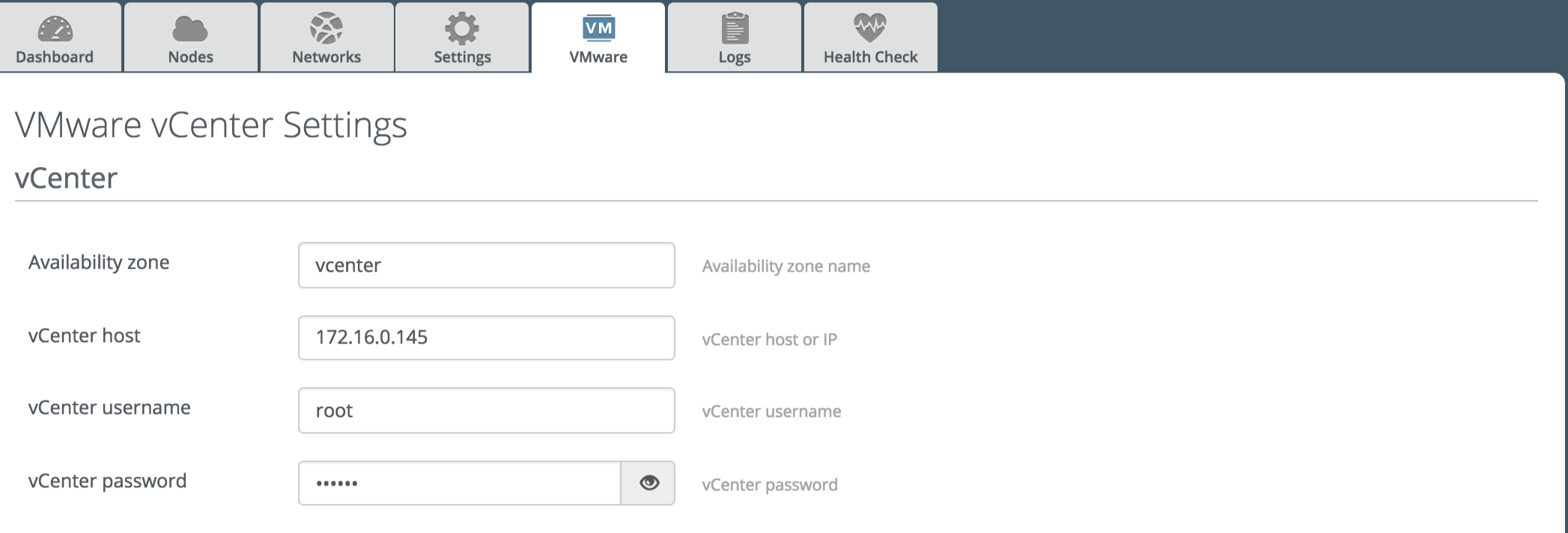
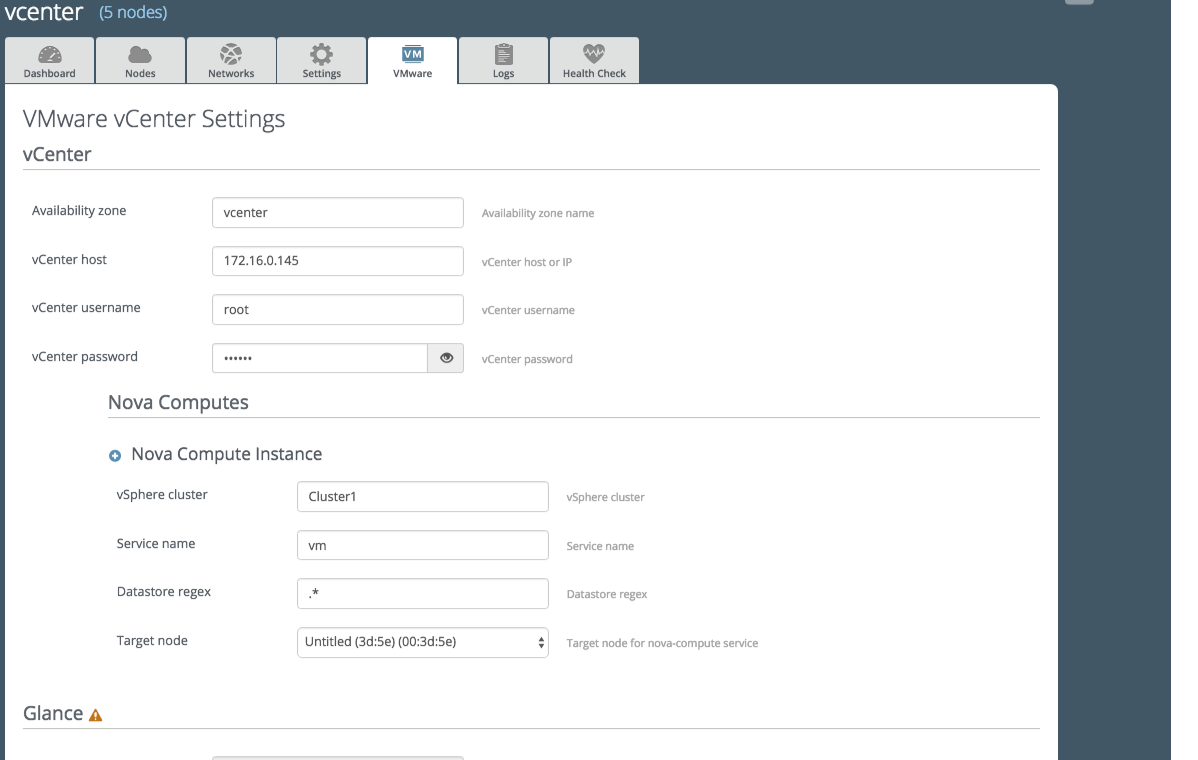
Fill vmware credentials in Fuel vmware tab
Run script that will spawn ContrailVM’s, DVS’s
[root@nailgun ~]# cd /var/www/nailgun/plugins/contrail-5.1/deployment_scripts/
[root@nailgun deployment_scripts]# ./spawner.py --env_id 1 --spawn
Wait a few minutes when ContrailVM’s node will be arrived

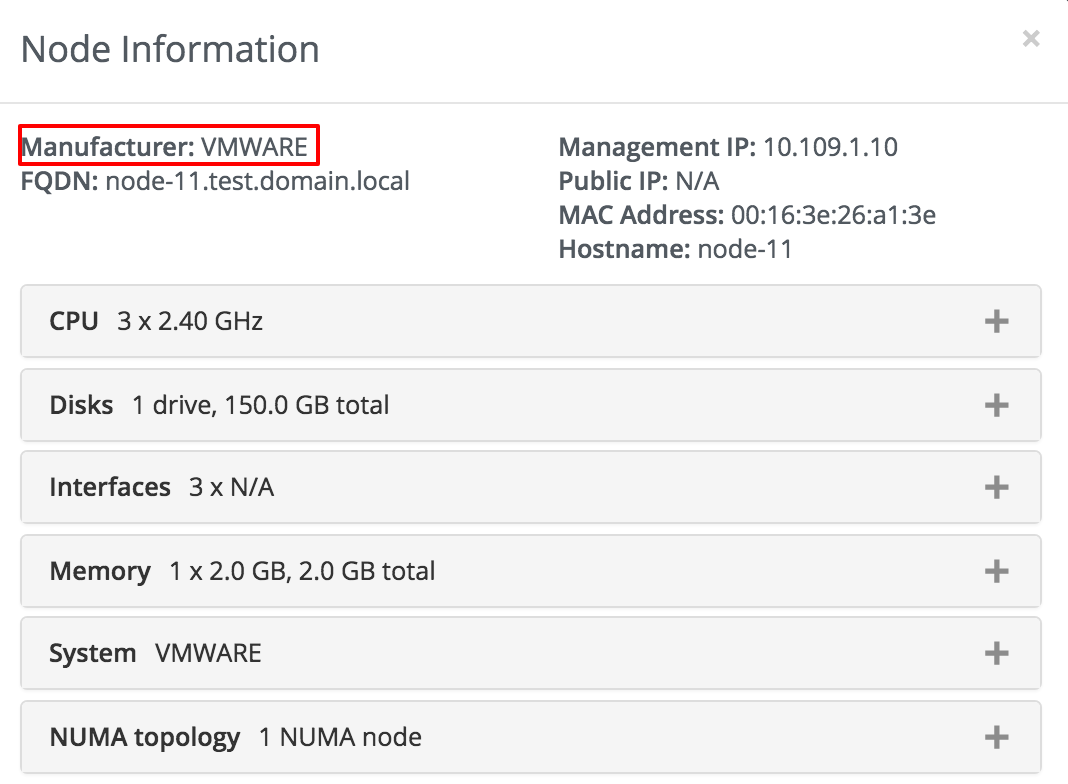
To verified if the nodes from vmware you may check “Node Information”
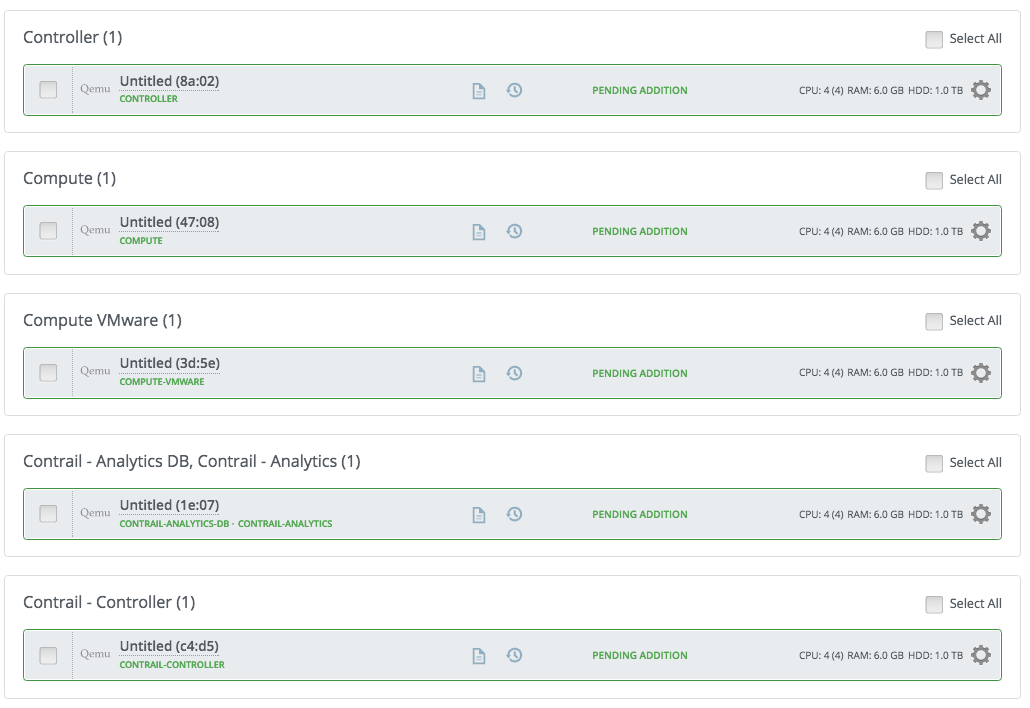
Assign all planned roles (including single compute-vmware role and contrail-vmware for each ESXi host) in Nodes tab from Fuel UI
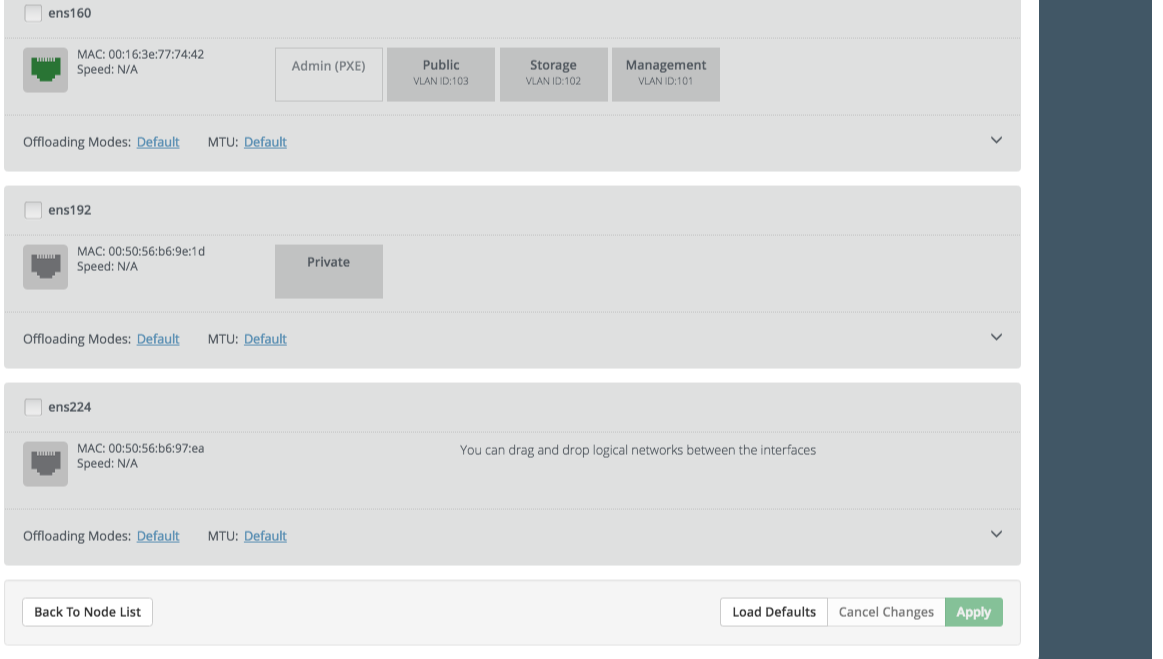
ContrailVM’s will be spawned with 3 network interfaces (the first two for fuel networks and third for vmware connection) therefore we assume that public, storage and management network will use vlan tagging
Fill settings in VMware tab from Fuel UI
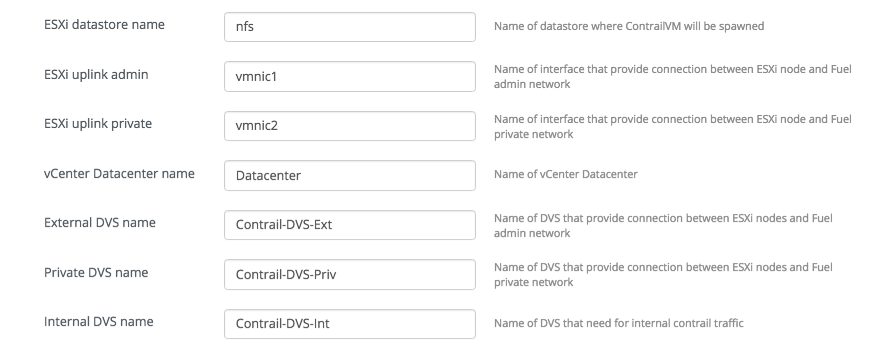
Fill additional settings in Fuel Contrail plugin settings from Fuel UI
Deploy environment
10.5. Verification
After deploy finishes, you can verify your installation.
Check that Contrail services are running on compute node:
root@node-35:~# contrail-status
== Contrail vRouter ==
supervisor-vrouter:           active
contrail-vrouter-agent        active
contrail-vrouter-nodemgr      active
Check that Contrail services are running on ContrailVM:
root@ContrailVM-249:~# contrail-status
== Contrail vRouter ==
supervisor-vrouter:           active
contrail-vrouter-agent        active
contrail-vrouter-nodemgr      active
10.7. Add and delete ESXi hosts
Add ESXi host:
Add ESXi host to vCenter cluster manually
Run script that will spawn additional ContrailVM
[root@nailgun ~]# cd /var/www/nailgun/plugins/contrail-5.1/deployment_scripts/
[root@nailgun deployment_scripts]# ./spawner.py --env_id 1 --spawn
Wait a few minutes when ContrailVM’s node will be arrived
Assign contrail-vmware role on new ContrailVM
Run “Deploy Changes”
Remove ESXi host:
- In Fuel UI remove contrail-vmware instance that located on ESXi host which you want to remove.
- Run “Deploy Changes”
- Remove ESXi host from vCenter cluster manually